Your Gear Is Holding You Back More Than Your Thumbs Are
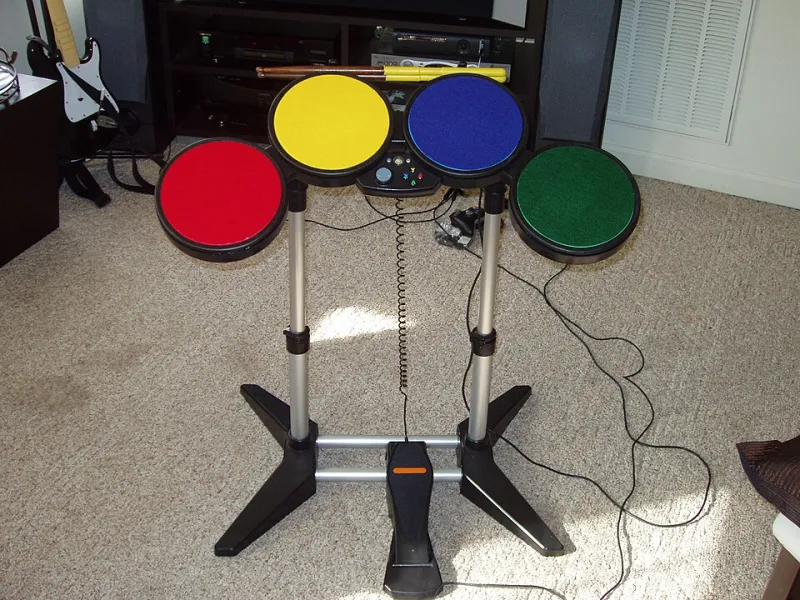
Photo: Brett Barnett, CC BY 2.0, via Wikimedia Commons
Here's a take that might sting a little: the reason you keep dying on that boss, missing that shot, or fumbling that combo might have nothing to do with your reaction time or your game sense. It might be your controller. Or your chair. Or the fact that you've been playing for six hours on a setup that was never designed for your hands in the first place.
Skill matters — obviously. But your physical setup is the foundation everything else is built on. And a cracked foundation will bring the whole house down no matter how talented the builder is.
The Controller Isn't One-Size-Fits-All (Even Though They're Sold That Way)
Walk into any big-box retailer and you'll find exactly one or two standard controller options per console. They're designed to fit the average adult hand — which means they fit almost nobody perfectly. Too big, too small, triggers in the wrong place, face buttons that require an awkward thumb stretch. These tiny friction points add up over a four-hour session.
Competitive players figured this out a long time ago. That's why the market for third-party controllers, paddles, and modded setups has exploded. Products like the Xbox Elite Series 2, the PlayStation DualSense Edge, and the Scuf Instinct aren't just expensive flex purchases — they're productivity tools. Remappable buttons, adjustable trigger tension, swappable thumbstick tops: all of it translates directly into faster, more accurate, less fatiguing play.
But you don't need to drop $200 to see results. Even free in-game remapping can make a dramatic difference. If you're playing a fast-paced shooter and you're still clicking in a thumbstick to sprint, remap that action to a shoulder button. Your thumb never has to leave the stick. That's not a cheat — that's just smart ergonomics.
Button Remapping: The Most Underused Free Upgrade in Gaming
Almost every modern console and most PC gaming clients offer native button remapping. PlayStation has it built into the accessibility menu. Xbox has the Xbox Accessories app. Nintendo Switch has a remapping option tucked into system settings. And yet the vast majority of players never touch these features.
This is a massive missed opportunity. Default control schemes are designed to be intuitive for first-time players — not optimized for the specific demands of whatever genre you're grinding. Fighting game players have known this forever. Remapping heavy attacks to shoulder buttons instead of face buttons can dramatically reduce input errors during long combo strings. The same logic applies to action RPGs, platformers, and real-time strategy games on controller.
Spend thirty minutes experimenting with your layout before you start blaming your thumbs. You might be surprised how much smoother things feel when your controls actually match the way your hands naturally move.
Adaptive Gaming Is Changing What's Possible — For Everyone
Here's where things get genuinely inspiring. The adaptive gaming movement — driven in large part by organizations like AbleGamers and by Microsoft's own Xbox Adaptive Controller — has pushed the industry to rethink what a "controller" even is.
The Xbox Adaptive Controller is a large programmable hub that lets players connect external switches, buttons, and joysticks in whatever configuration works for their body. It was designed specifically for players with limited mobility, but the technology it represents is a window into how flexible input really can be. Players who were told certain games were simply "not for them" are now speedrunning titles, competing online, and — this is the part that matters — having fun.
Adaptive gaming experts consistently make one point: accessibility features don't give players an unfair advantage. They create an equal starting line. And the innovations being driven by the adaptive gaming community are quietly making the hobby better for everyone, including players without disabilities who simply want a more comfortable or efficient setup.
Ergonomics Isn't Just for Office Workers
You wouldn't expect a surgeon to operate standing on one leg on an uneven floor. But gamers routinely play for hours hunched over a couch cushion, controller at a weird angle, neck craned toward a screen that's too high or too low. Then they wonder why their wrists hurt and their performance tanks after hour three.
Ergonomics in gaming is real and it has real consequences. Controller grip angle affects how quickly and accurately you can reach buttons. Screen distance and height affect eye strain and reaction time. Even your chair affects how long you can maintain focus before fatigue sets in.
You don't need a $500 gaming chair to fix this. Start with basics: sit at a height where your elbows are roughly level with your controller. Position your screen so your eyes land naturally on the top third of the display. Take a break every 45 to 60 minutes — not because some health PSA told you to, but because your accuracy genuinely degrades with sustained physical fatigue. These aren't soft suggestions. They're performance optimizations.
Real Players, Real Differences
Talk to anyone who has made a significant change to their gaming setup and you'll hear a version of the same story: they assumed they just needed to get better, ground for weeks, saw minimal improvement, then changed something about their physical setup and noticed results almost immediately.
Players with conditions like arthritis, carpal tunnel, or tremors report that switching to larger-grip controllers, hair-trigger locks, or alternative input devices transformed games from frustrating to genuinely enjoyable. But you don't need a medical condition to benefit from this thinking. A player who switched from a standard DualShock to a controller with back paddles described it as "suddenly having an extra pair of hands." A PC player who remapped their keyboard layout for a specific MMO said they shaved minutes off their dungeon clear times without changing a single thing about their strategy.
The hardware is doing real work. Don't underestimate it.
Where to Start If You're Not Sure What to Change
If you're not ready to invest in new hardware, start with software. Dig into your console's accessibility settings — most platforms have come a long way in the last few years and offer options that go way beyond closed captions. Experiment with button remapping for your most-played game. Try adjusting your controller's stick sensitivity and dead zones in-game. These cost nothing and take minutes.
If you are ready to invest, don't automatically go for the most expensive option. Research what professional or high-volume players in your specific genre are using. A fighting game player and an FPS player need very different things from their hardware. Spend your money where it actually matches your play style.
And if you're dealing with any kind of physical limitation that's affecting your gaming, AbleGamers.com is a genuinely excellent resource. Their community and guides exist specifically to help players find setups that work for their bodies — and the information there is useful even if your situation is relatively minor.
Your skill ceiling is real, but it's probably higher than your current setup is letting you reach. Fix the foundation first. Then worry about the rest.